
Show contents
Staff & shifts › Work out & pay salary
I made a wrong payment
- Who
- Owner
- When
- When something goes wrong
- Where
- App · Web
What you get
- A wrong payment is canceled, not deleted, so both the first payment and the reversing transaction stay in «Transaction History».
- Once it is canceled, «Pay» shows again for that staff member, and you pay again with the right amount.
- On the website, write why you are canceling in «Reason (optional)» when you cancel.
What it solves
- You paid with the wrong amount, but it is «Paid», so you can't pay again.
- If you leave it, the pay in the books won't match the money you really owe the staff member.
Why this way
- It is kept as a reversing transaction, not deleted, so later you can still see when and what was corrected.
- Can a manager cancel past payments freely? The person who entered it can cancel only within 6 hours. After that, it needs the «Delete Transaction» permission, which is turned off in «Manager Default» at the start.
- Last month's pay is two entries. Is only one canceled? No. The two are recorded together and canceled together.
At the bottom of the app, tap «Money» → scroll down and open «Transaction History» under «All features». In the date box, choose a period that includes the day you paid, and turn off «In» · «Move» to leave only «Out» («Check payment records and Excel»).
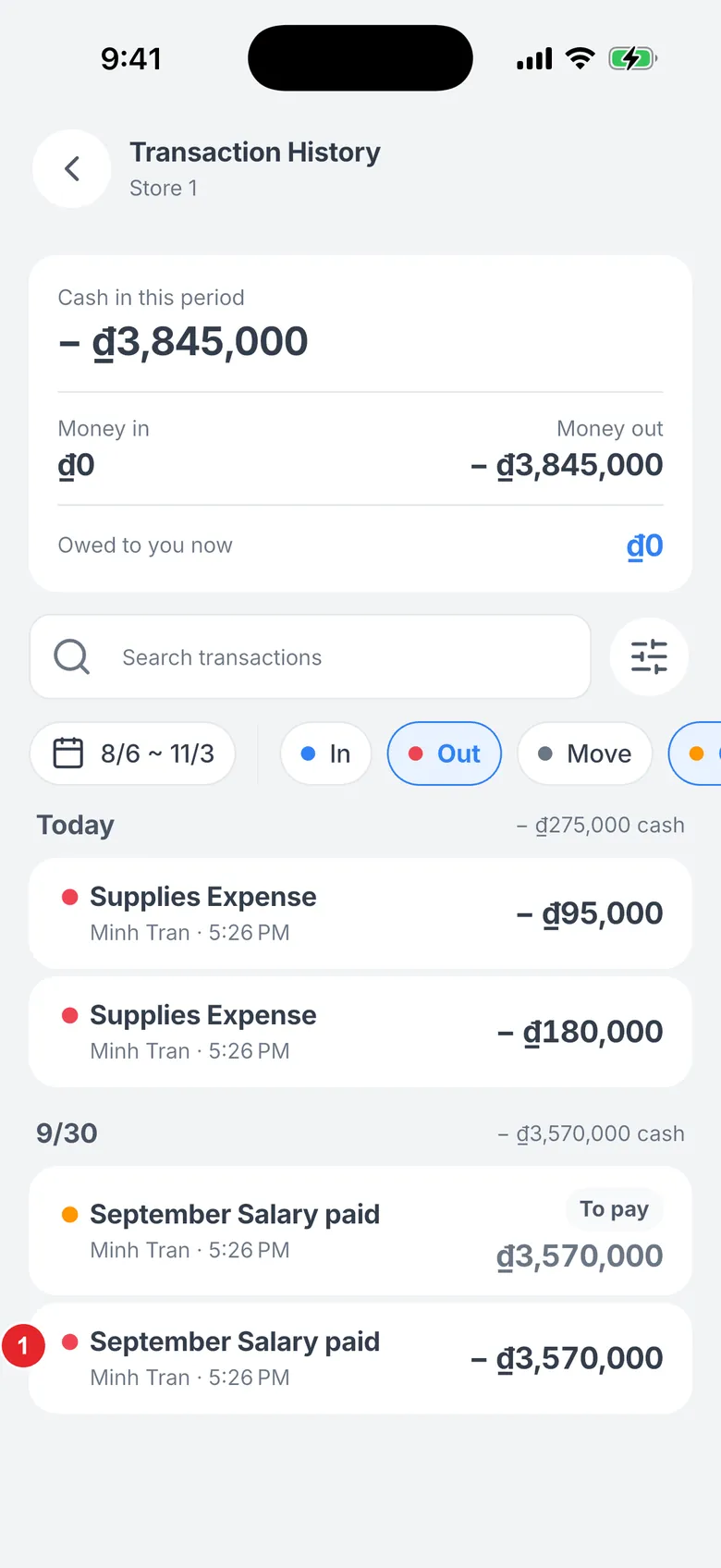
- Tap the «September Salary paid» row with the minus amount.
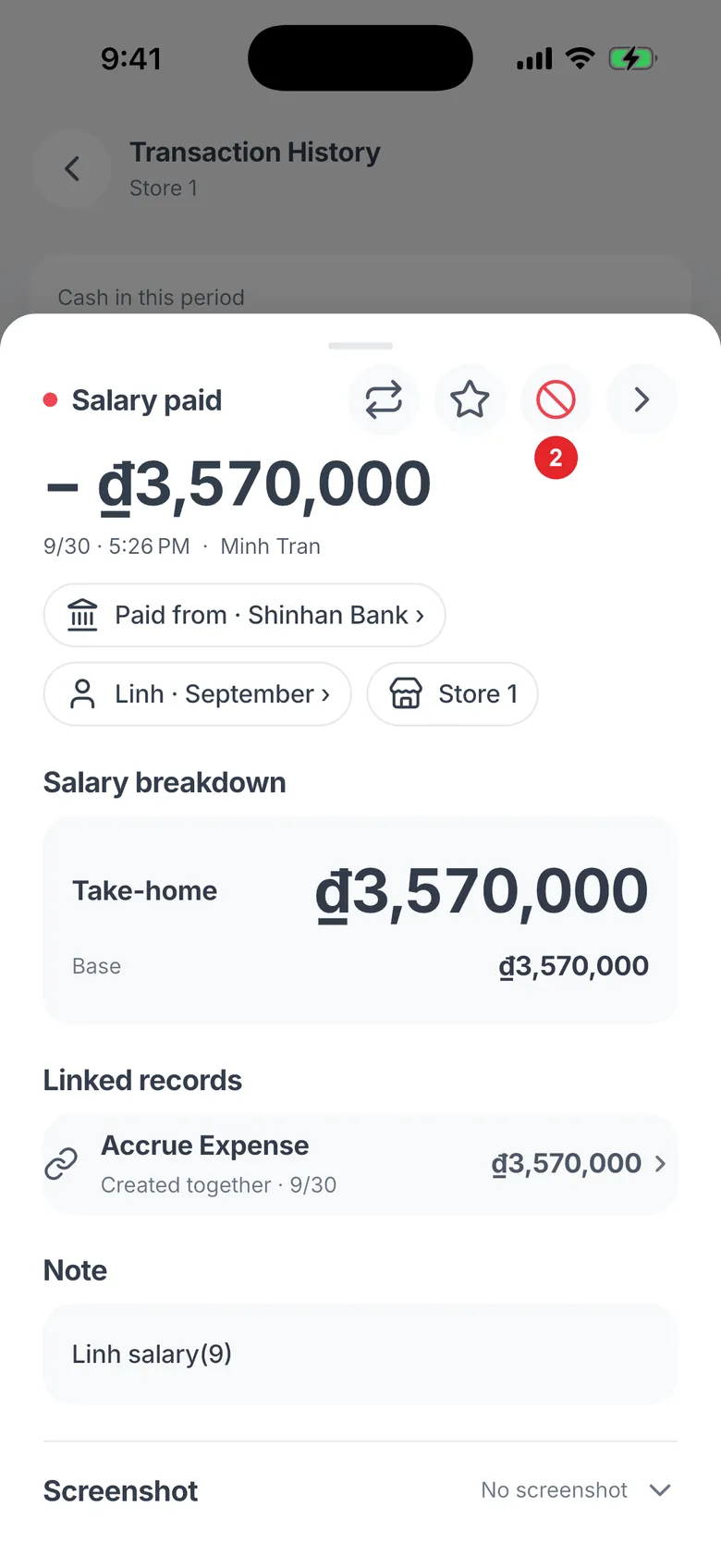
- Tap the red ⊘ button («Cancel transaction») at the top right.
- After canceling, pay again with the right amount as in «Pay salaries».
Why it works this way
A payment is recorded in the books as a transaction. Don't delete it; cancel it in «Transaction History». Canceling creates a reversing transaction, and both stay in the history. You can then «Pay» that staff member again.
Remember
- Last month's salary payment is recorded as two entries together and canceled together.
- After canceling, fix the amount and pay again.
- The person who entered it can cancel only within 6 hours. After that, someone with the delete permission cancels it.