
Show contents
Staff & shifts › Work out & pay salary
Shifts changed or were added after paying
- Who
- Owner
- When
- After paying
- Where
- App · Web
What you get
- Even if you fix shifts after paying, the payment already made does not change, so the paid amount in the books stays the same as the money you really gave.
- Fixing shifts is not blocked, so you can correct shift records even after paying.
- Once you cancel the payment, «Pay» shows again with an amount that includes every changed shift, and you pay again.
What it solves
- You fixed a shift after paying, but the «Pay» button does not come back. The changed amount is not paid that month.
- If you pay this month early, this month's shifts worked after that are not paid either.
Why this way
- Money already paid is not changed by itself; you cancel and pay again, so what changed stays on record.
- Does canceling erase the first payment record? No. A reversing transaction is created, and both stay in «Transaction History».
- What if shifts change while the pay window is open? Nothing is paid. The app shows «Work records changed while this screen was open, so nothing was saved. The amount has been refreshed — please check it and pay again.», and the website shows «The amount changed, so it was recalculated. Check it and pay.»
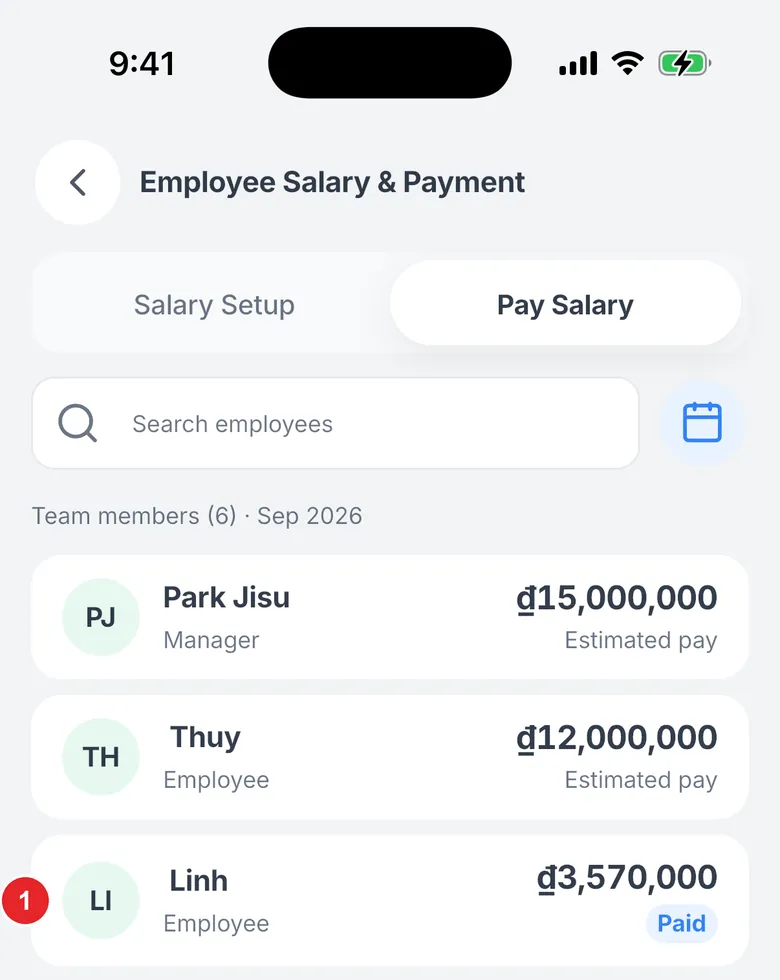
- At the bottom of the app, go to «Staff» → «Employee Salary & Payment» → the «Pay Salary» tab and choose the month: staff already paid show «Paid».
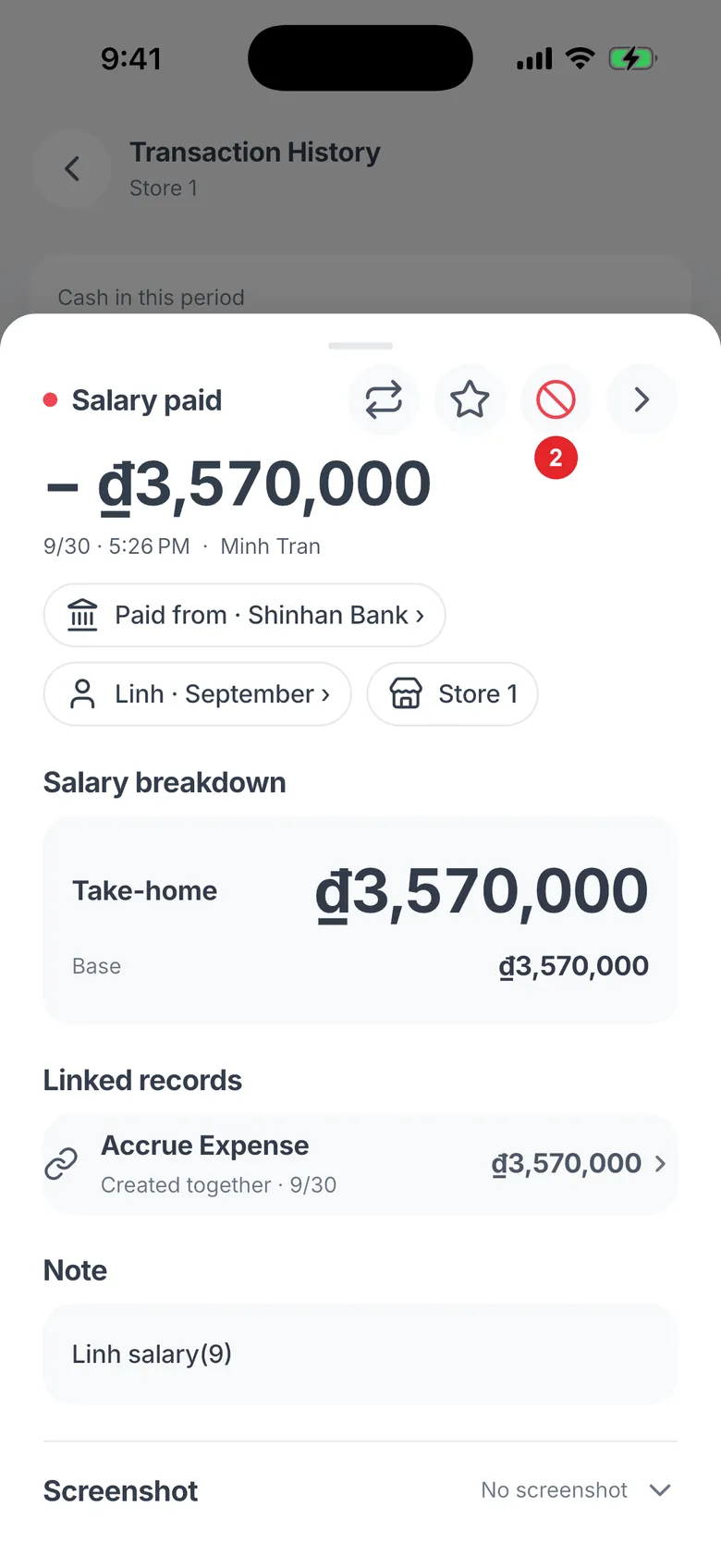
- To pay the changed amount too, open that «September Salary paid» row in «Money» → «Transaction History» and tap the red ⊘ button («Cancel transaction») at the top right. See «I made a wrong payment».
- After canceling, pay again as in «Pay salaries».
Why it works this way
Once you pay, that store's pay for that month becomes «Paid». Fixing shifts or adding new ones after that is not blocked, but the changed amount can't be paid for that month. The «Pay» button does not come back.
Remember
- To pay the changed amount too, use «Cancel transaction» on that payment, then pay again («I made a wrong payment»). Once it is canceled, «Pay» shows again with the changed amount.
- If you pay this month early, this month's shifts after that are not paid either. Pay after every shift of that month is settled.
- If shifts change while the pay window is open, nothing is paid. The app shows «Work records changed while this screen was open, so nothing was saved. The amount has been refreshed — please check it and pay again.», and the website shows «The amount changed, so it was recalculated. Check it and pay.» Check the new amount and pay again.