
Show contents
Staff & shifts › Work out & pay salary
Pay the last salary when someone leaves
- Who
- Owner
- When
- When someone leaves
- Where
- App · Web
What you get
- This month's pay can be paid before the month ends too, so you settle up when they leave.
- Even when monthly staff leave mid-month, enter an amount and reason in the deduction (web «− Deduction») when paying, and pay only for what they worked.
- Removing them from the company does not delete their shift records or their records in the books; they only leave this company.
What it solves
- If you remove them from the company first, they disappear from the website pay screen, and you can't pay the rest of their pay on the website.
- A monthly staff member's salary is not cut to their last day by itself, so if you pay as it is, you pay the full month.
Why this way
- You pay first and remove them after, so the way to pay the last salary is never blocked.
- What if I pay before settling the last shifts? Shifts settled after paying are not paid. Settle every shift up to the last one, then pay.
- Could I remove someone by mistake? In the app's «Remove from company» window, «Remove» works only after you type «yes remove» in the box.
First pay the last salary. Open the «Pay Salary» screen as in «Pay salaries».
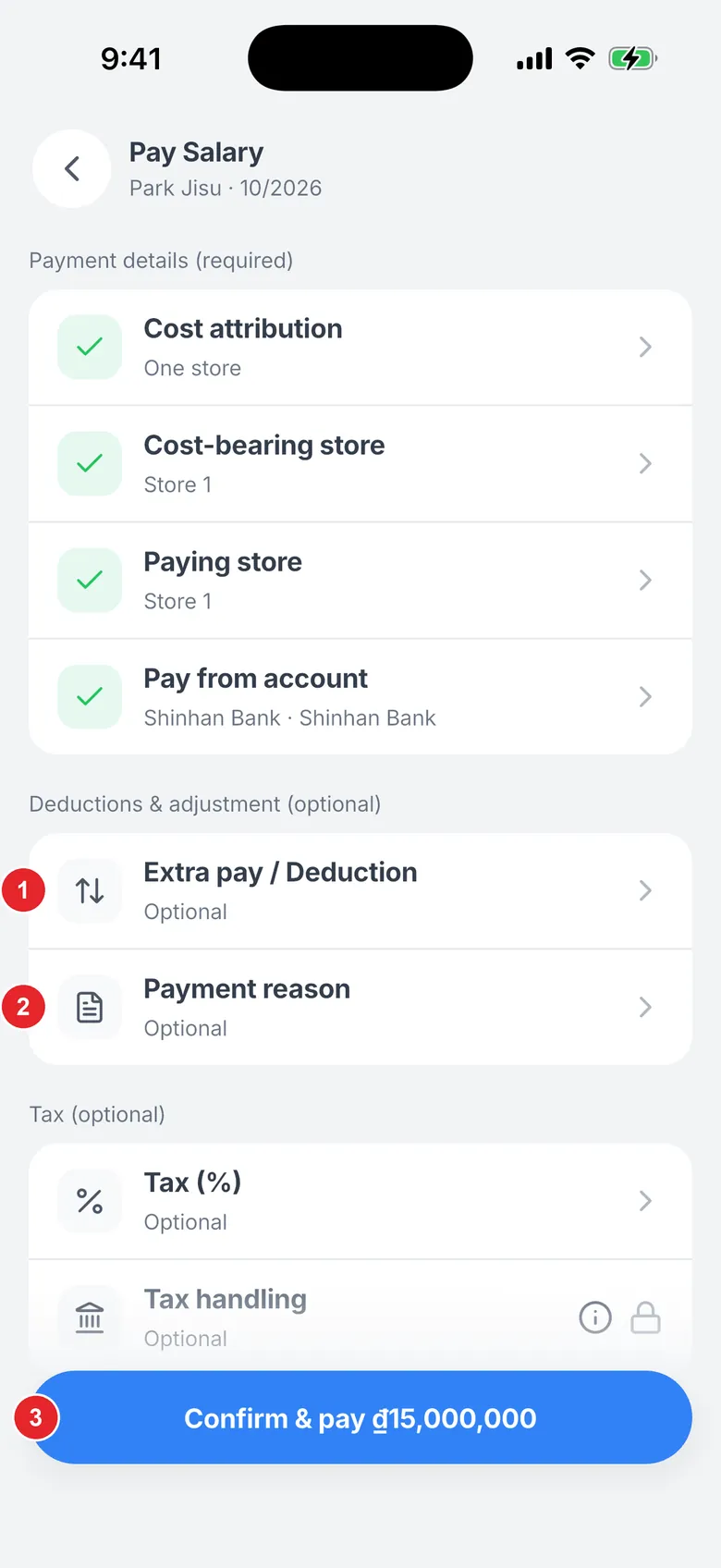
- If a monthly staff member left mid-month, enter the amount to take off in «Extra pay / Deduction».
- Write the reason in «Payment reason».
- Tap «Confirm & pay ₫15,000,000» (the button shows the amount).
Then remove them from the company.
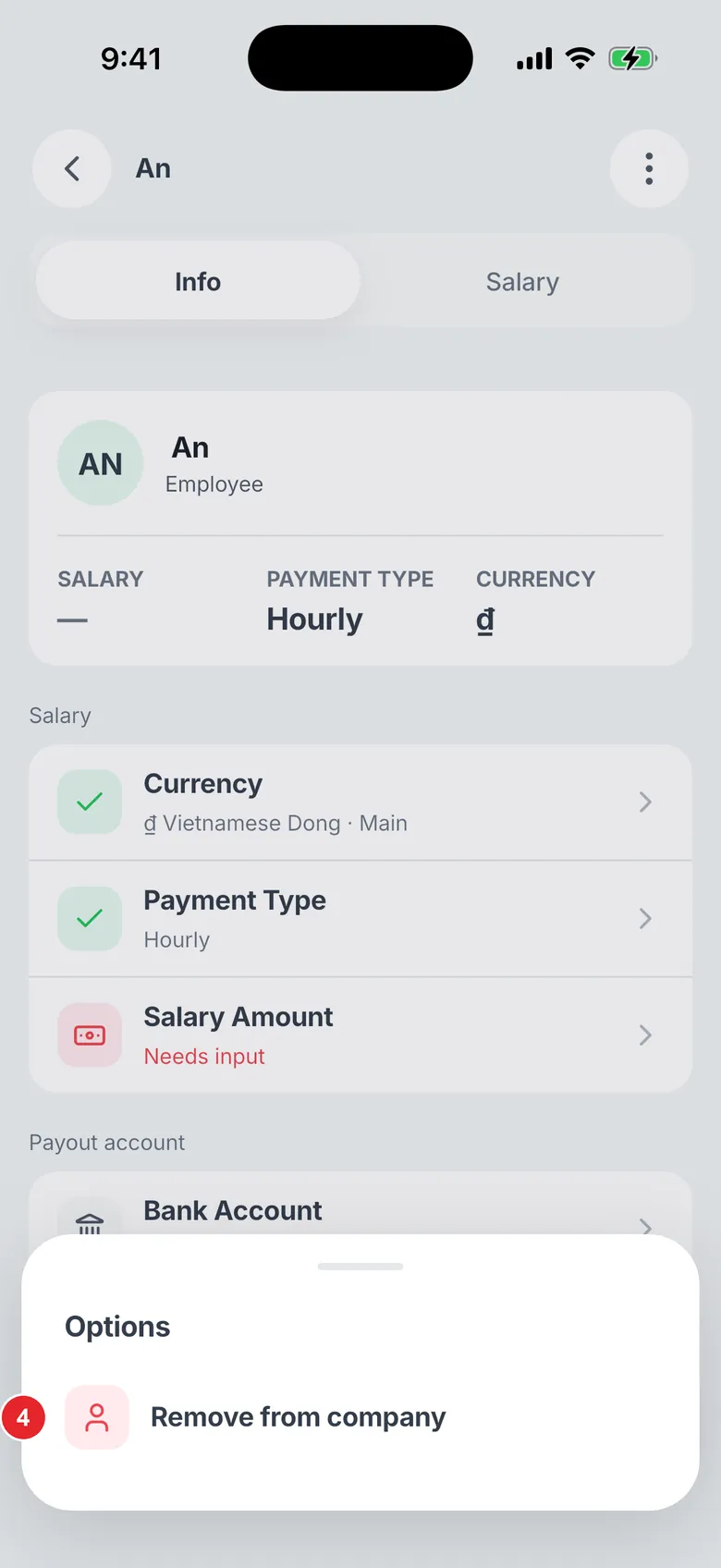
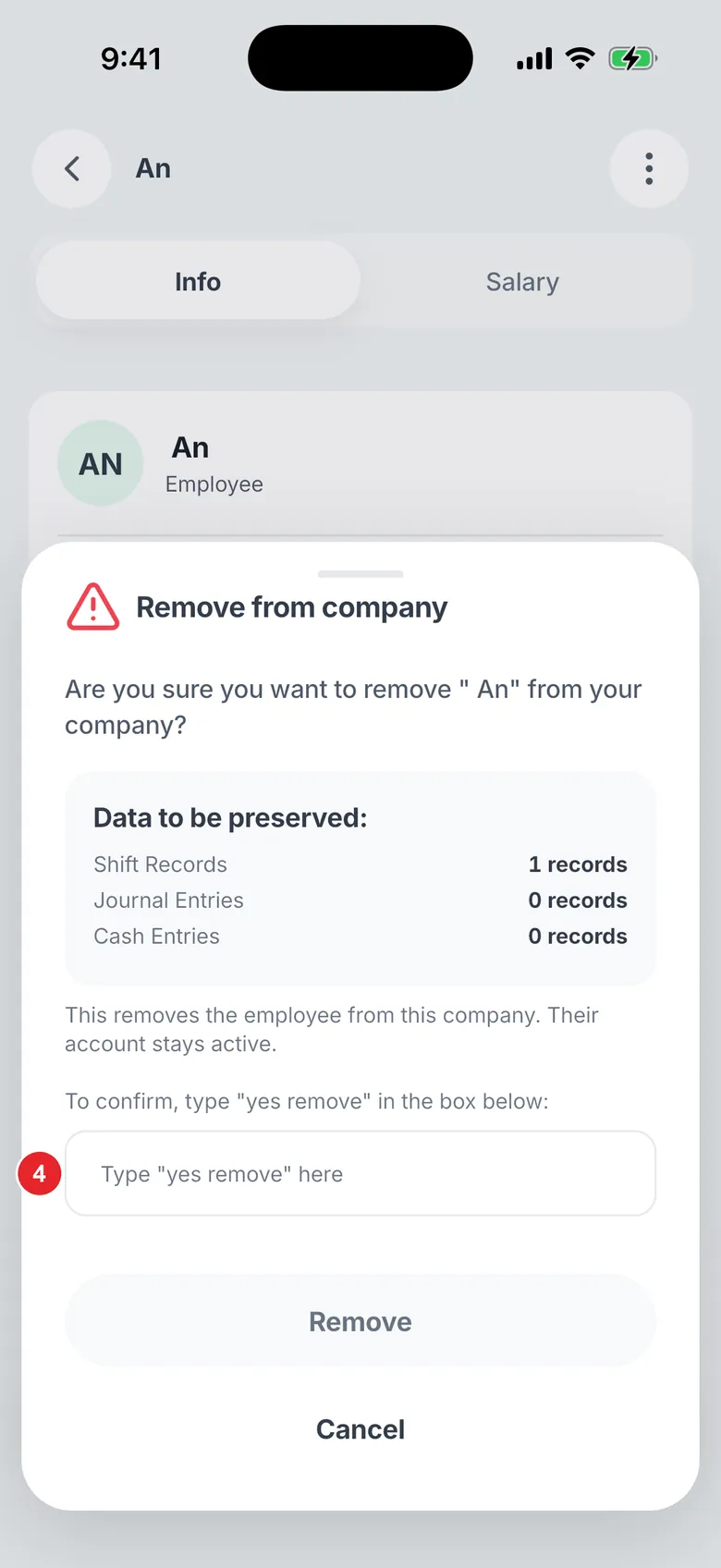
- At the bottom of the app, go to «Staff» → «Employee Salary & Payment» → the «Salary Setup» tab, tap the staff member, then tap ⋮ at the top right → «Remove from company». In the window that opens, type «yes remove» in the box and tap «Remove» («Remove» works only after you type it).
Why it works this way
The website has no button to remove staff from the company. Remove them with «Remove from company» in the app. Once removed, they disappear from the website pay screen, and you can't pay the rest of their pay on the website.
Remember
- Pay the last salary first, then remove them.
- This month's pay can be paid during the month. Settle every shift up to the last one, then pay. Shifts settled after paying are not paid.
- A monthly staff member's salary is not cut to their last day. When paying, enter the amount and reason in «− Deduction».