
Show contents
Staff & shifts › Work out & pay salary
I can't see «Pay»
- Who
- Owner
- When
- Month end
- Where
- App · Web
What you get
- From the words in the Pay column («N problems» · «No record» · «Paid»), you know right away why you can't pay.
- In the app, the faded button at the bottom says why it is blocked, so you know what to do first.
What it solves
- At month end «Pay» does not show, so you can't pay salaries. If you don't know why, staff get paid late.
- Staff without pay entered are not blocked, so they are easy to miss. They show as «No record», or «There is nothing left to pay this month.» appears.
Why this way
- Unsettled shifts must be settled before you can pay, so money never goes out with hours worked missing.
- Can a month already paid be paid again? A «Paid» month does not show the «Pay» button.
- Can I pay next month's salary early? For a month that has not started, «Salary for a future month cannot be paid from this page.» appears. Pay after the month starts.
At the bottom of the app, go to «Staff» → «Employee Salary & Payment» → the «Pay Salary» tab and choose the month with the calendar button next to the search box.
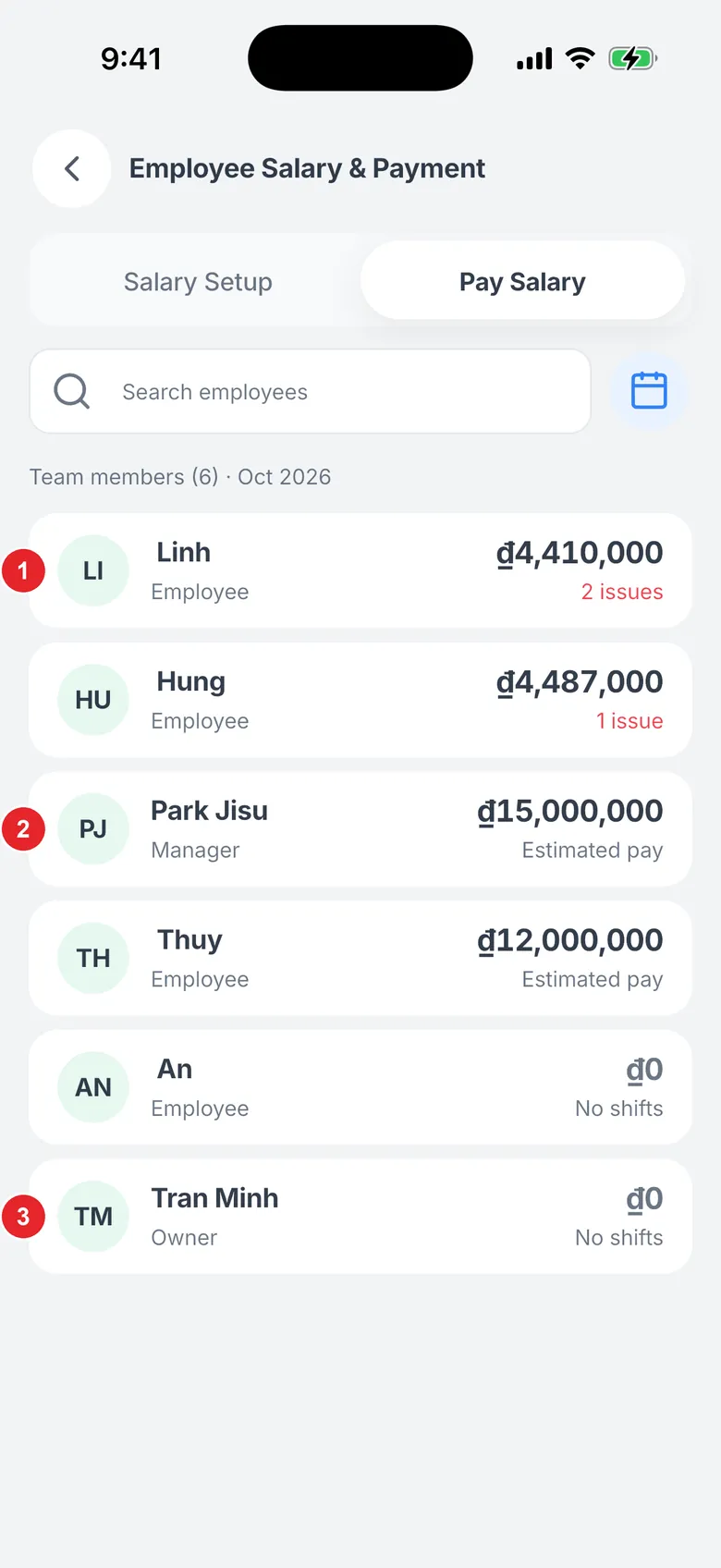
- A number of issues, like «2 issues»: some shifts are not settled yet. Tap the staff member and read the words on the bottom button («Check before you pay»).
- «Estimated pay»: not paid yet. Tap the staff member and pay with «Review pay details».
- «No shifts»: there are no shifts to pay this month. Check that pay and shifts are entered.
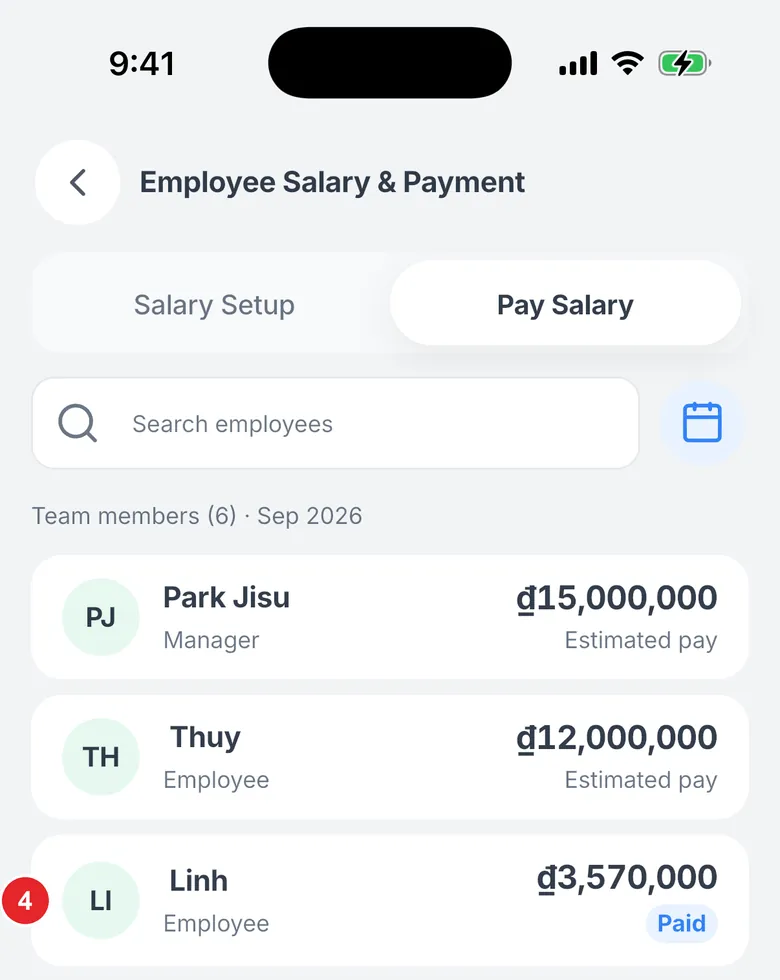
- «Paid»: this month is already paid. If something changed, see «Shifts changed or were added after paying».
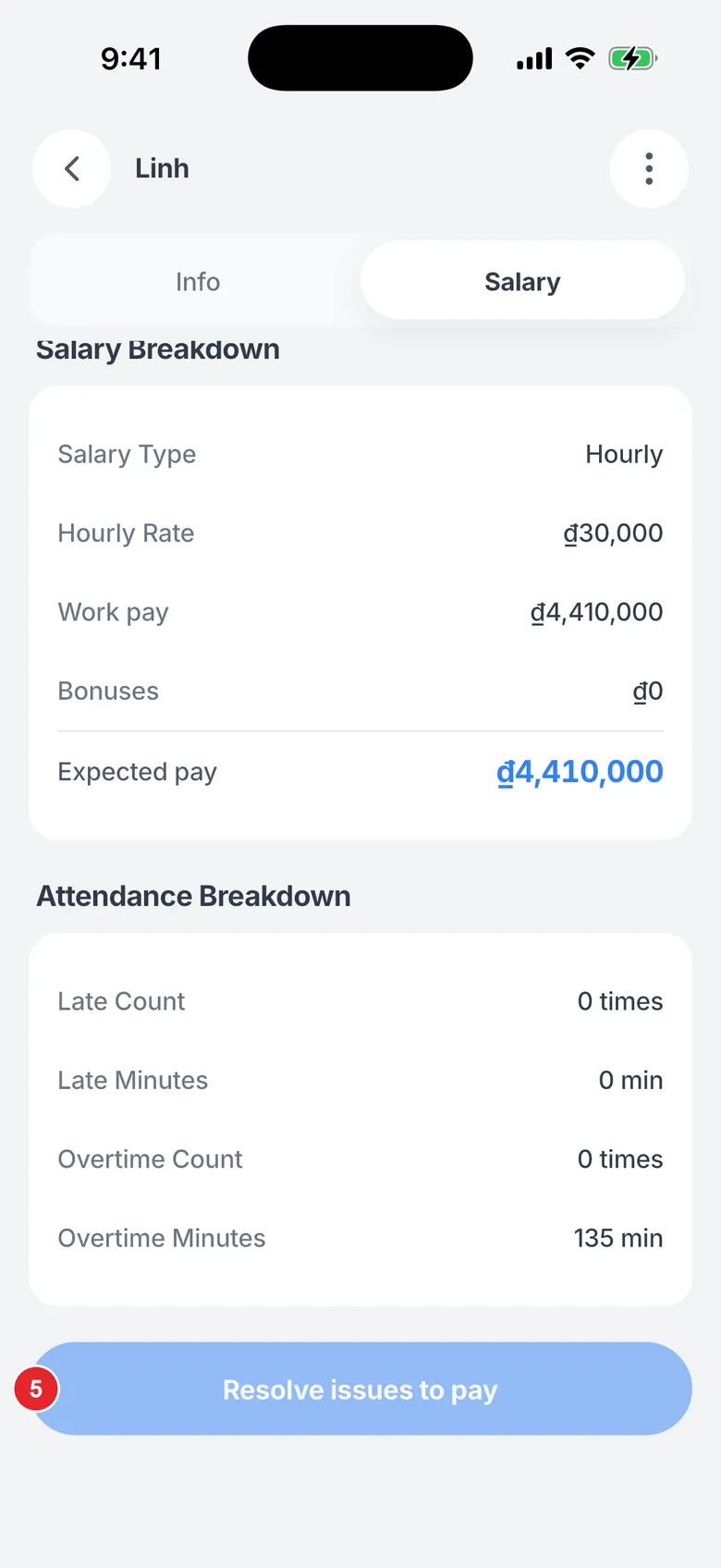
- If the bottom button is faded, the words on the button are the reason it is blocked.
What the Pay column shows
| What you see | Meaning | What to do |
|---|---|---|
| N problems (app: N issues) | There are unsettled shifts or days with no record | Click it and settle them |
| No record (app: No shifts) | There are no shifts or salary to pay this month | Check that pay and shifts are entered |
| Paid | This month is already paid | If something changed, «Shifts changed or were added after paying» |
When you click «Pay» and it doesn't work
| Message | What to do |
|---|---|
| There is nothing left to pay this month. | The amount to pay is ₫0. See «The hourly pay shows ₫0» |
| Salary for a future month cannot be paid from this page. | Pay after the month starts |
| The amount changed, so it was recalculated. Check it and pay. | Shifts changed while the window was open. The amount was worked out again: check it and pay again |
Remember
- If a staff member is not in the list at all, they were removed from the company. See «Pay the last salary when someone leaves».