
Show contents
Staff & shifts › Hourly staff
Someone forgot to clock out
- Who
- Manager
- When
- When something goes wrong
- Where
- App · Web
What you get
- Set the end time, and the shift goes into pay and the «Problem» is closed.
- The recorded clock-in time stays as it is; you only enter the end time to count for pay.
- If they worked until the set time, on the website choosing «Schedule» is all it takes.
What it solves
- «They left without clocking out.» With no end time, that shift does not go into pay.
- If you leave it, it stays a «Problem», and you can't pay that staff member's salary.
Why this way
- We don't guess the end time. Until a manager sets it, it stays out of pay, so no money goes out for time not worked.
- What if they left earlier than the set time? On the website, enter the real end time with «Custom»; in the app, choose that time in «Paid until».
- Do staff know what time was set? Yes. The staff app's «Shift details» shows the clocked time and the paid time the manager set, separately.
At the bottom of the app, tap «Staff» → scroll down and open «Shift Management».
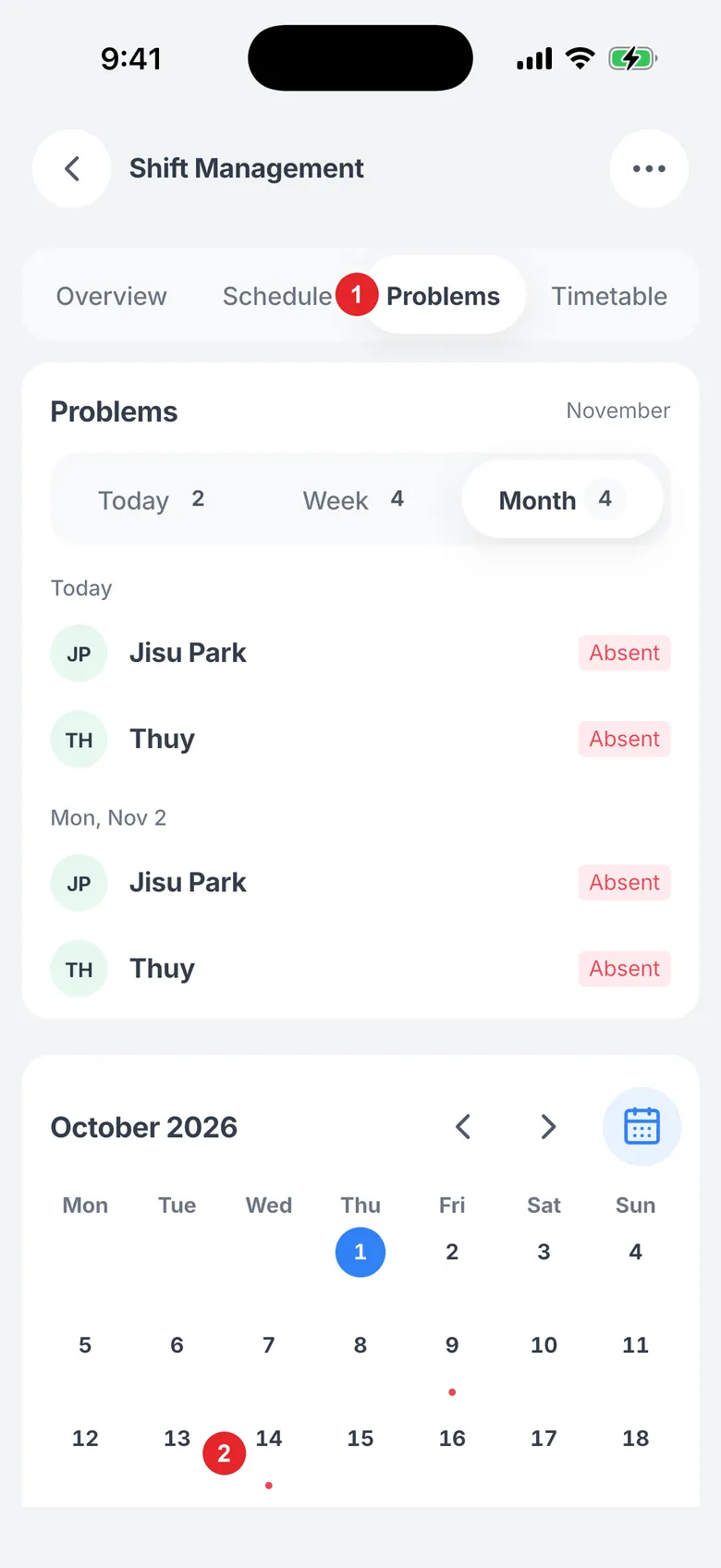
- Open the «Problems» tab.
- Tap a date with a dot in the calendar. Open a whole month with the calendar button on the right, and move between months with the arrows.
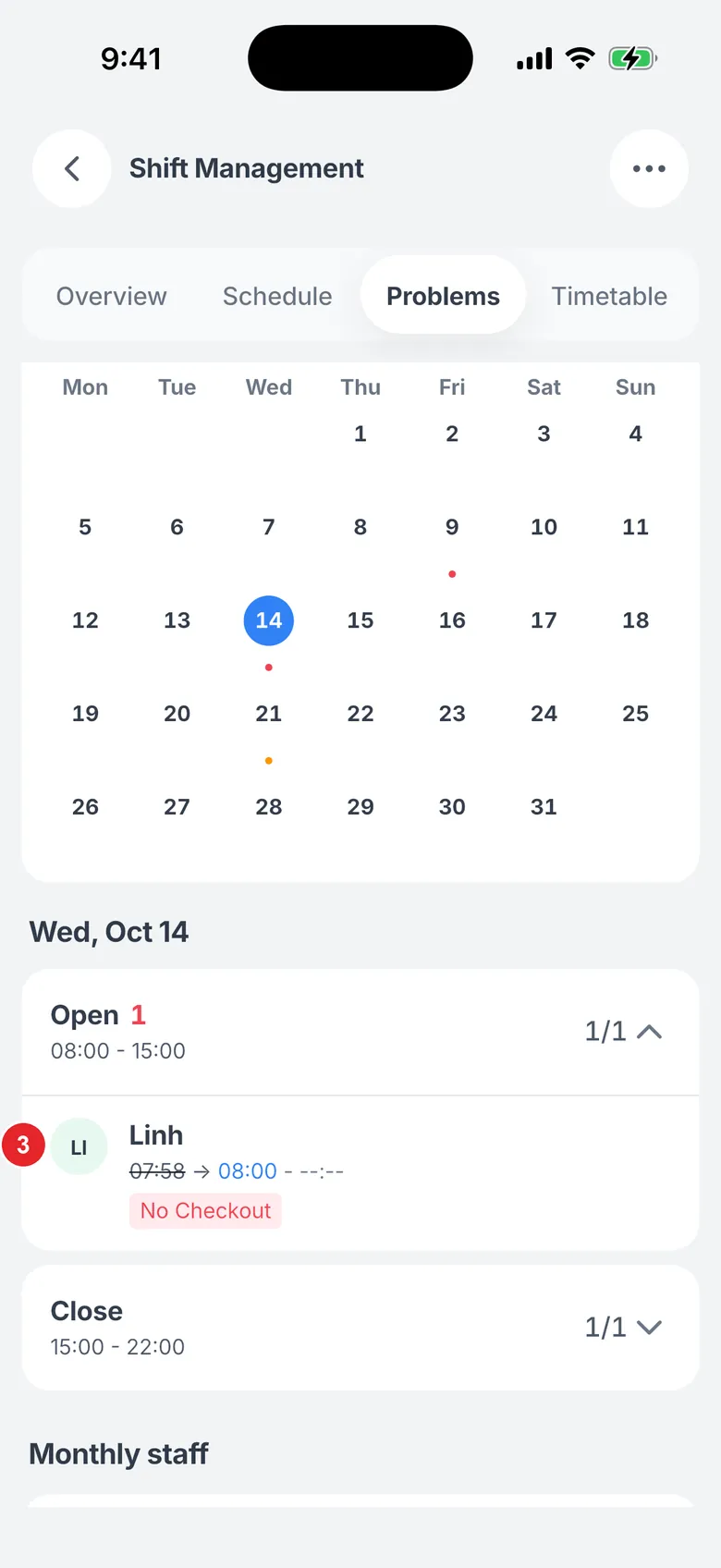
- Open the shift and tap the staff member marked «No Checkout».
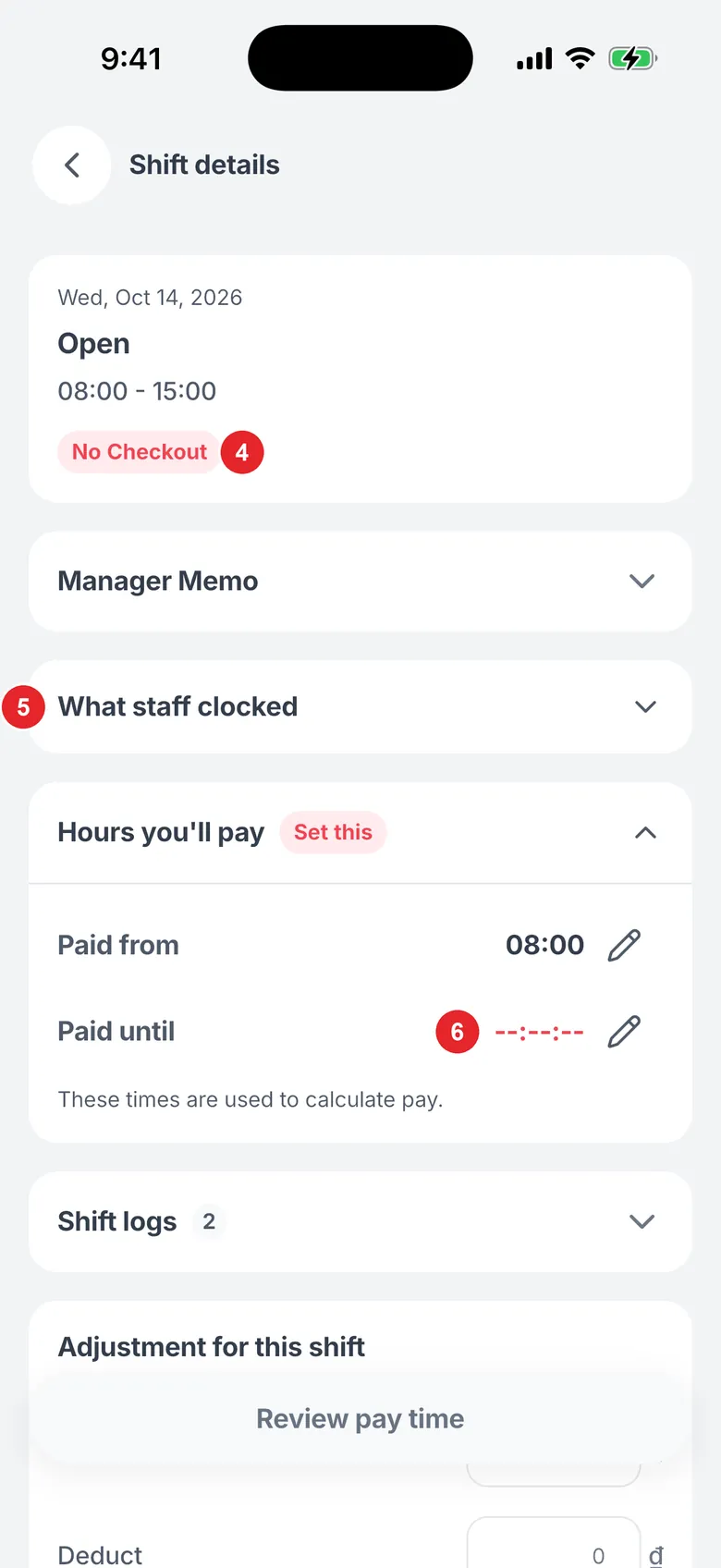
- «No Checkout» shows at the very top.
- Tap «What staff clocked» to see the clocked start time.
- Tap the pencil next to the empty «Paid until» time.
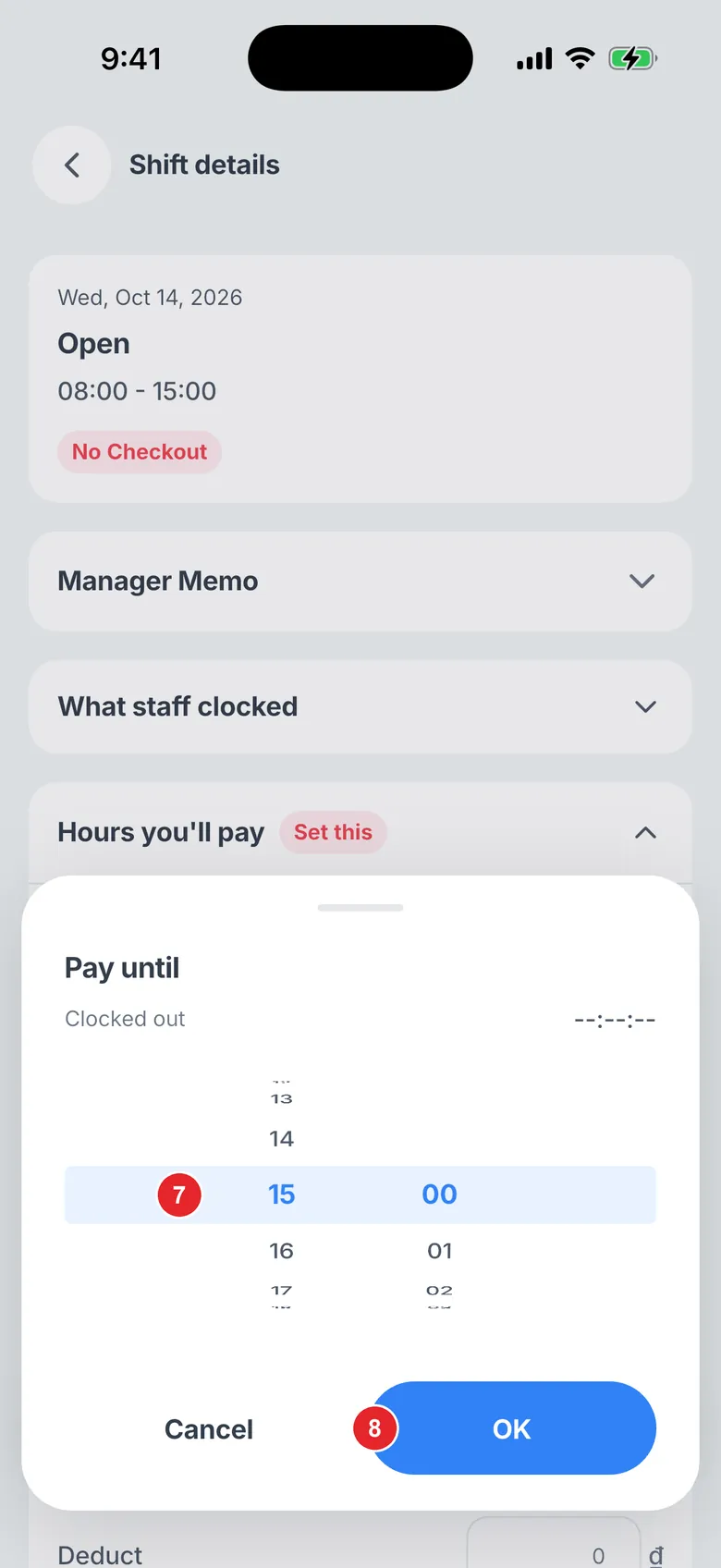
- Choose the time they really finished work.
- Tap «OK».
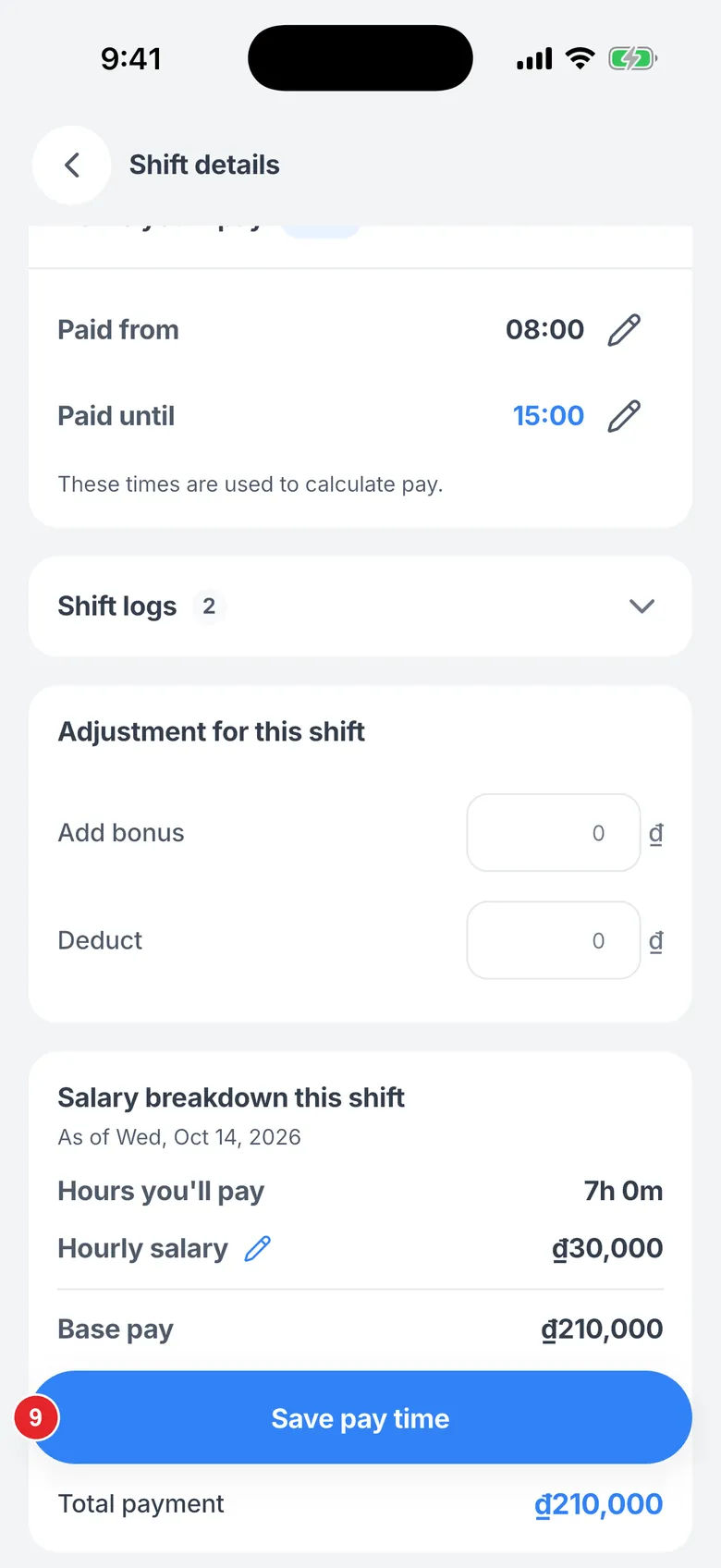
- Tap «Save pay time» at the very bottom of the screen to save. Before you pick a time it shows as the faded «Review pay time».
Why it works this way
If only the clock-in is recorded and there is no clock-out, the end time is unknown. Until a manager sets the end time, that shift does not go into pay.
Remember
- Shifts you have not settled stay a «Problem». Staff with problems left can't be paid.