
Show contents
Staff & shifts › Hourly staff
I changed the late rule and past shift pay changed too
- Who
- Owner
- When
- When you change the late rule
- Where
- App · Web
What you get
- Set the paid hours of past late shifts before you change the rule, and those shifts keep their amounts.
- Whether the app's «Hours you'll pay» says «Set this» or «Done» tells you ahead which shifts will change when you change the rule.
What it solves
- I changed the late rule and past shift pay changed too.
- If you leave it, every past late shift without set paid hours is counted again with the new rule.
Why this way
- Time cut for lateness is not stored on the shift; it is counted with the current rule each time you look. A shift is fixed only when you set and save its paid hours.
- Do shifts with set paid hours change too? No. Shifts whose paid hours a manager set and saved stay the same when you change the rule.
- How do I pay without cutting for lateness? On the website, choose «Schedule» and click «Save & confirm shift». In the app, set «Paid from» to the scheduled start time and tap «Save pay time» at the bottom.
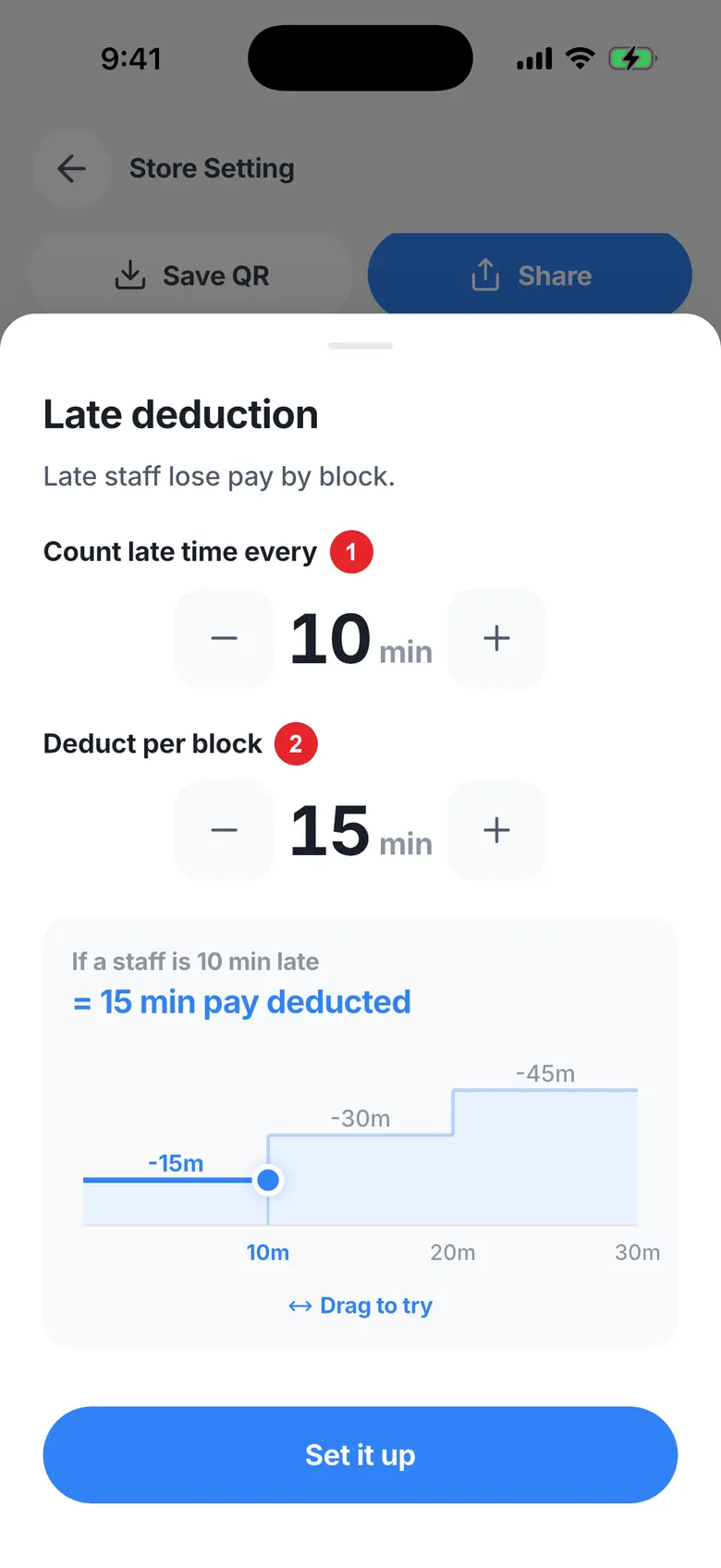
- The late rule is under «All» → «Store Setting» → «Late penalty» at the bottom of the app. «Count late time every» is the length of one block.
- «Deduct per block» is the time cut for each block.
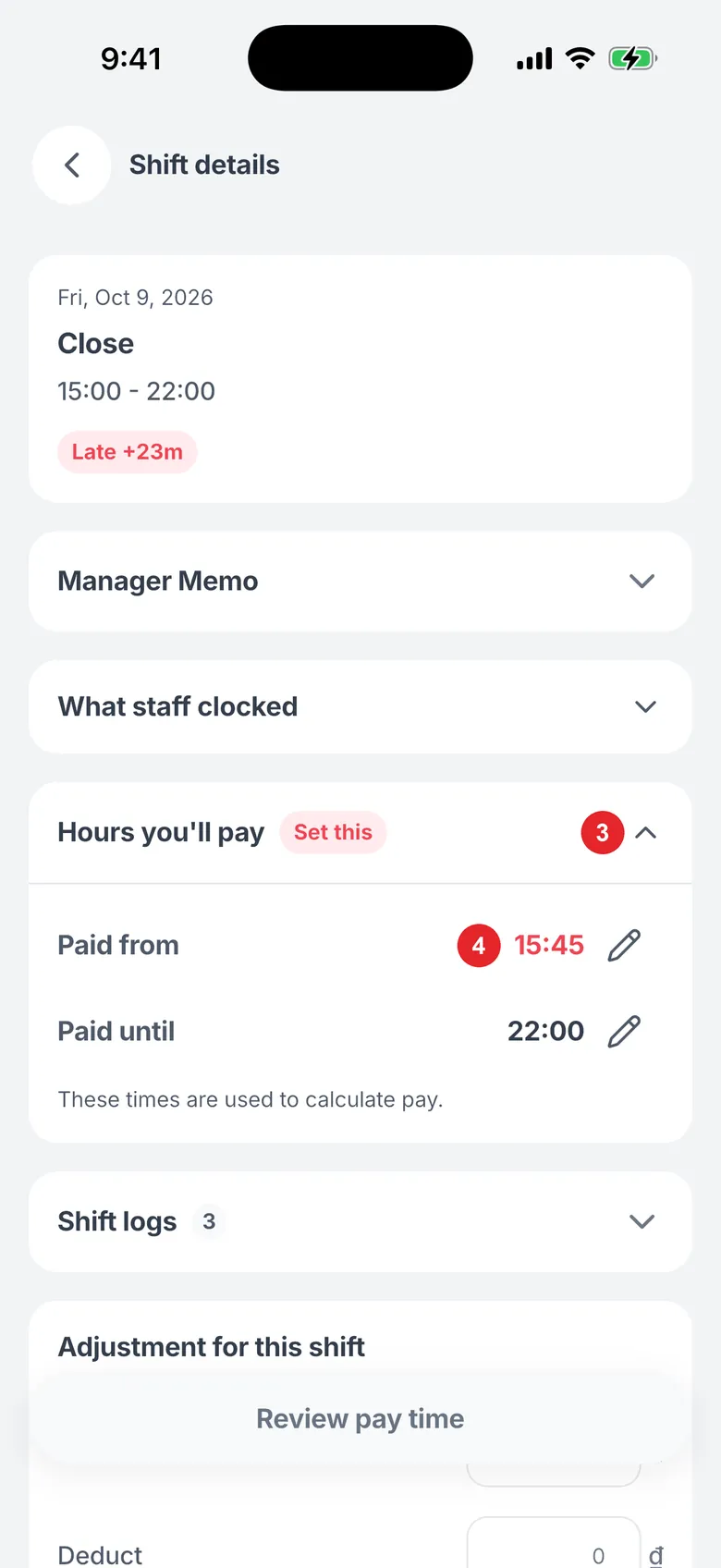
- Open a late shift's «Shift details» as in «Someone came in late». A shift where «Hours you'll pay» says «Set this» has not been decided yet.
- On such a shift, «Paid from» is the time cut by the current rule, so it changes when you change the rule. To keep it from changing, tap the pencil next to «Paid from», set the time, and tap the button at the very bottom (faded «Review pay time» in the picture; after you change the time it reads «Save pay time»).
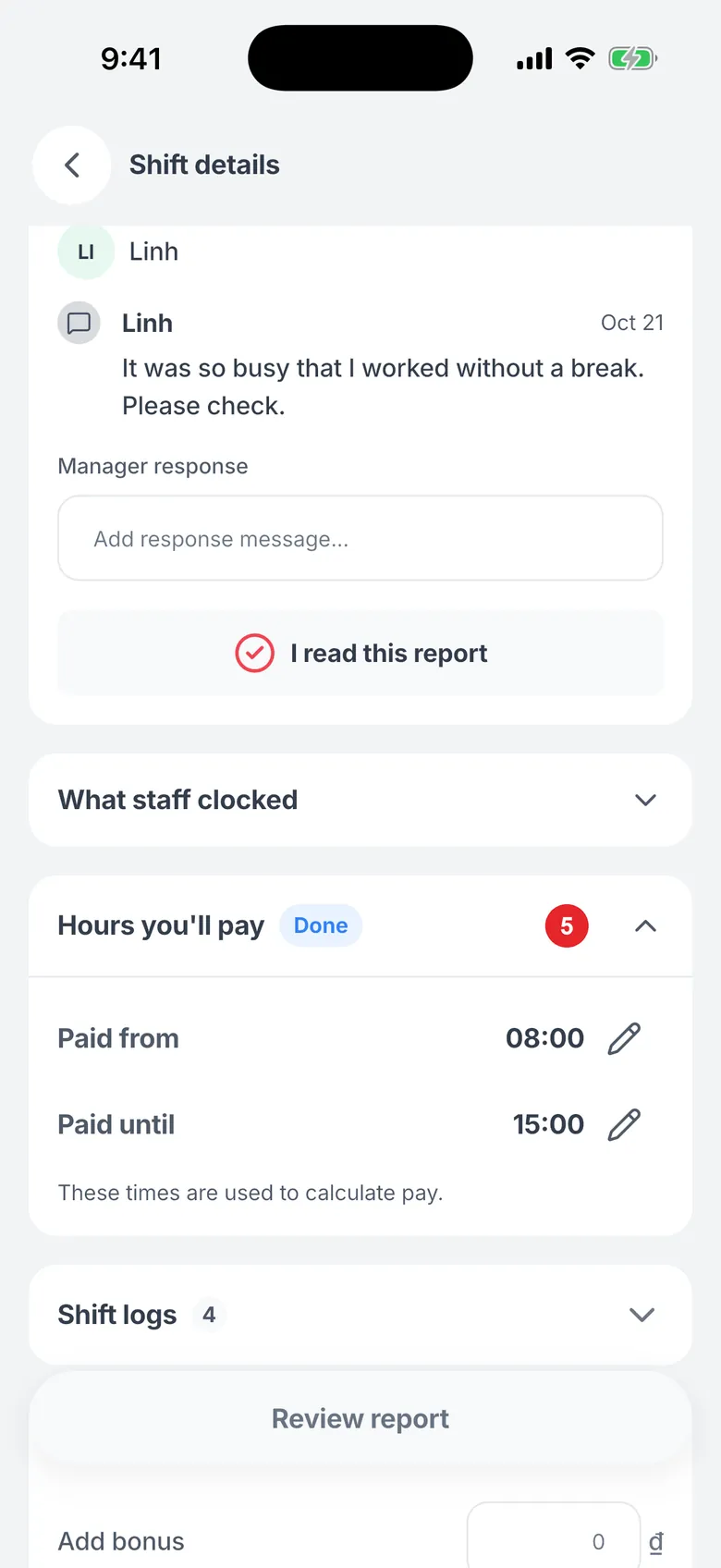
- A shift where «Hours you'll pay» says «Done» stays the same even when you change the rule.
Why it works this way
Time cut for lateness is not stored on the shift. Each time you look, it is counted with the current late rule in «Store Setting». So when you change the rule, shifts without set paid hours are counted again with the new rule, past shifts too. Shifts whose paid hours a manager set and saved stay the same.
Remember
- Set the paid hours of past late shifts first, before you change the rule, and those shifts won't change.