
Show contents
Staff & shifts › Hourly staff
Someone worked a shift that was not approved
- Who
- Manager
- When
- When something goes wrong
- Where
- App · Web
What you get
- Staff who worked on a day not on the schedule also get paid: approve the shift and enter the hours.
- A shift a staff member requested can be approved even for a past day.
- A shift the manager adds becomes an approved shift right away, without waiting for a request.
What it solves
- «They worked, but they weren't on the schedule.» Scanning the QR shows «No approved shift today.» and no clock-in or clock-out is saved.
- Without an approved shift, the work does not go into the salary, even if they worked.
Why this way
- Clock-ins only go to approved shifts. Unless a manager approves or adds the shift, there is no pay.
- Can I add shifts on past days? On the website you can't add new ones on past days («Failed to Add Employee»). If the staff member requested the shift, approve it, even for a past day.
- What if I add the wrong person? It goes in right away with no confirm window, so check the name carefully before you choose. If you added the wrong person, cancel that shift's approval.
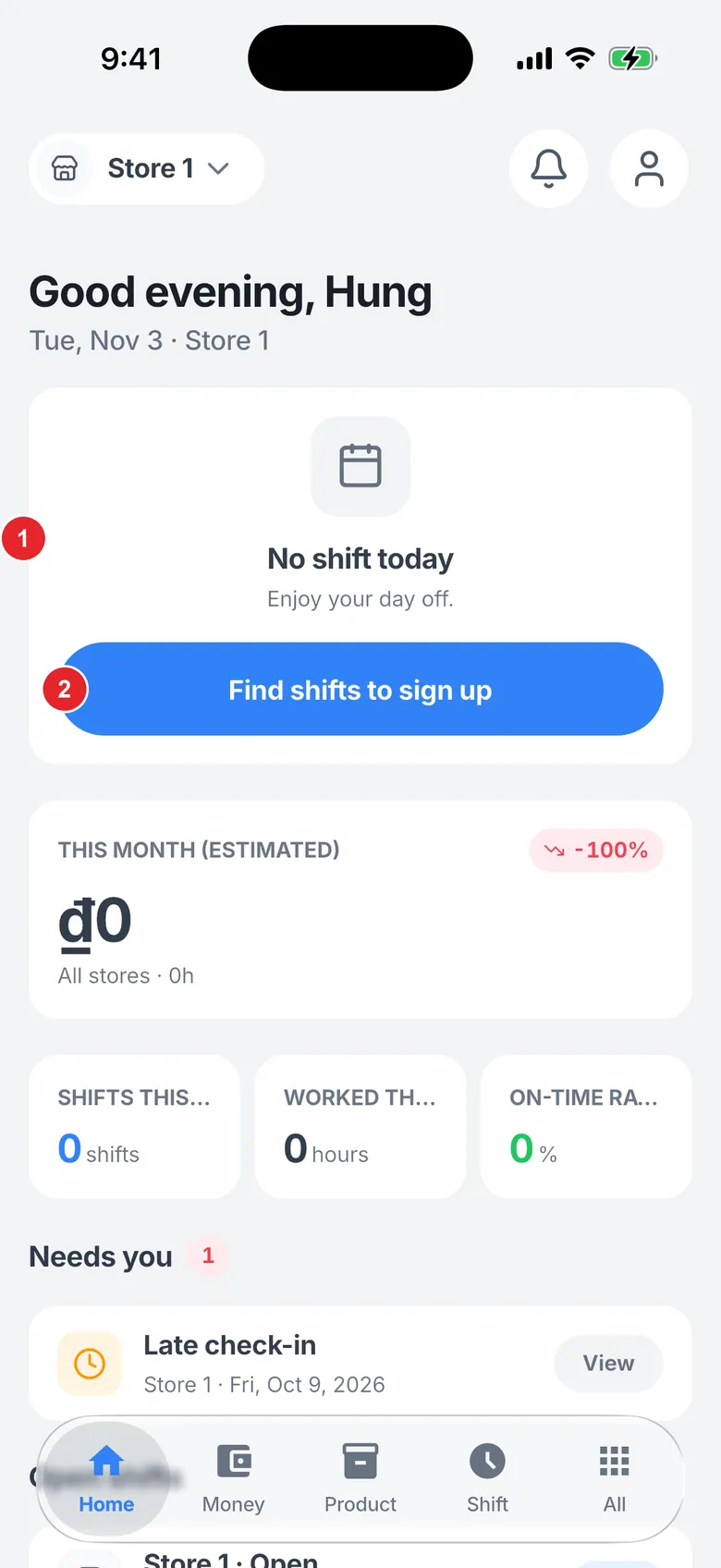
- A staff member with no approved shift that day sees «No shift today» on the app home.
- The staff member taps «Find shifts to sign up» and requests a shift.
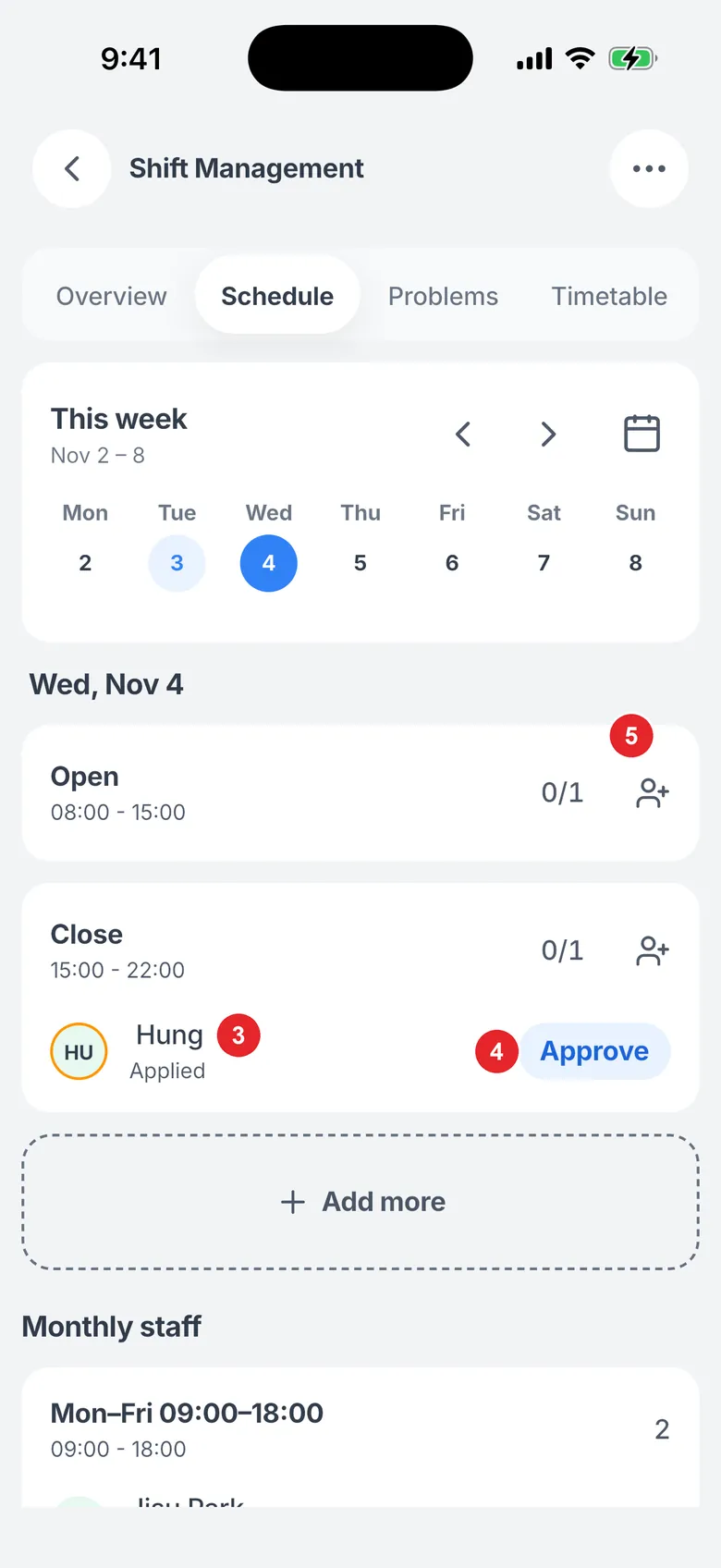
- The manager chooses the date in «Staff» → «Shift Management» → the «Schedule» tab. A shift the staff member requested shows «Applied» under their name.
- Tap «Approve», and it is approved.
- If there is no request, tap the person button («Add employee to shift») on that shift's row.
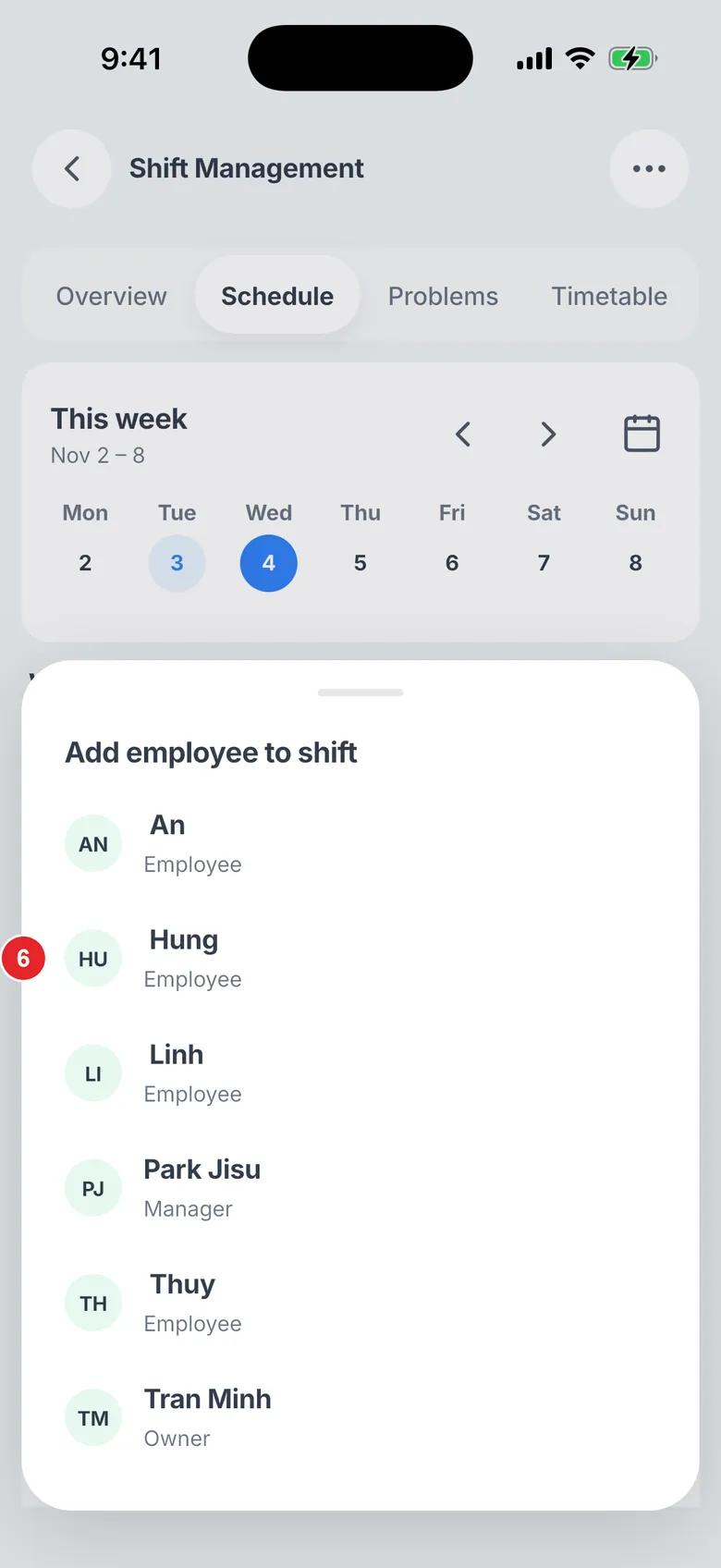
- Choose the staff member who worked. Then enter the hours worked as in «Someone forgot to clock in».
Why it works this way
Clock-ins go to the shift approved for that day. If there is no shift, or it is not approved yet, the staff app home shows «No shift today», and scanning the QR shows «No approved shift today.».
Remember
- A shift the manager adds becomes an approved shift right away.
- On the website you can't add staff on past days. If you try, «Failed to Add Employee» appears.
- A shift a staff member requested can be approved even for a past day. After approving it, enter the hours worked.