
Show contents
Staff & shifts › Hourly staff
Someone came in late
- Who
- Manager
- When
- When something goes wrong
- Where
- App · Web
What you get
- Paid time is cut automatically by the store rule, by how late they were. Managers don't work it out for each shift.
- On the website, the «Store rule» line shows right away how many minutes late they were and how many minutes were cut.
- If there is a good reason, you can choose not to cut that one shift.
What it solves
- «How do I take off the late time?» Taking it off by hand for each shift easily ends with a different standard for each staff member.
- Late shifts you have not settled stay a «Problem», even though the amount is already counted by the rule, so you can't pay that staff member.
Why this way
- The rule lives in one place, «Store Setting», so unless you change something, every late shift is cut by the same rule.
- If I change the rule later, do past shifts change too? Shifts without set paid hours are counted again with the new rule. Shifts you set and saved stay the same.
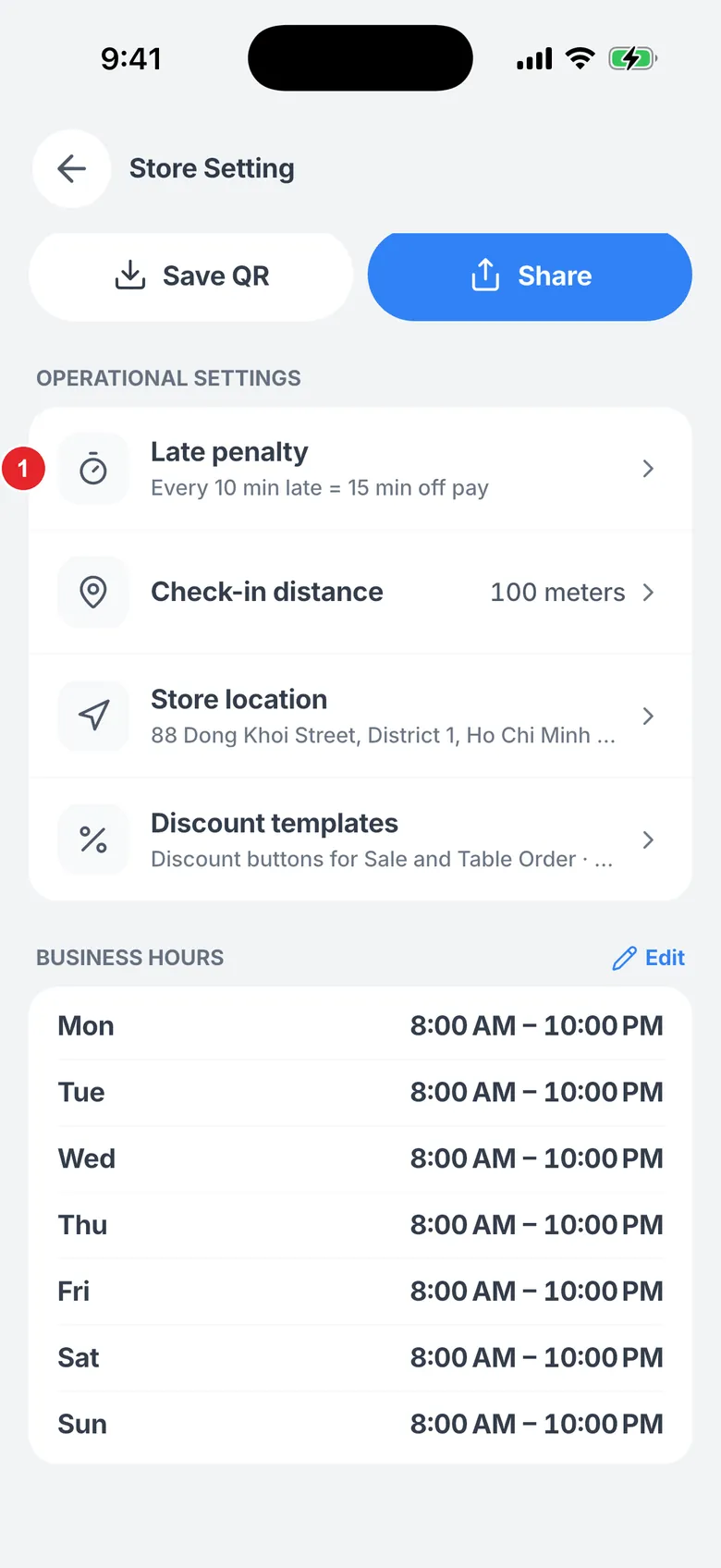
- See the late rule in «Late penalty»: at the bottom of the app, tap «All» → «Store Setting». The picture shows «Every 10 min late = 15 min off pay».
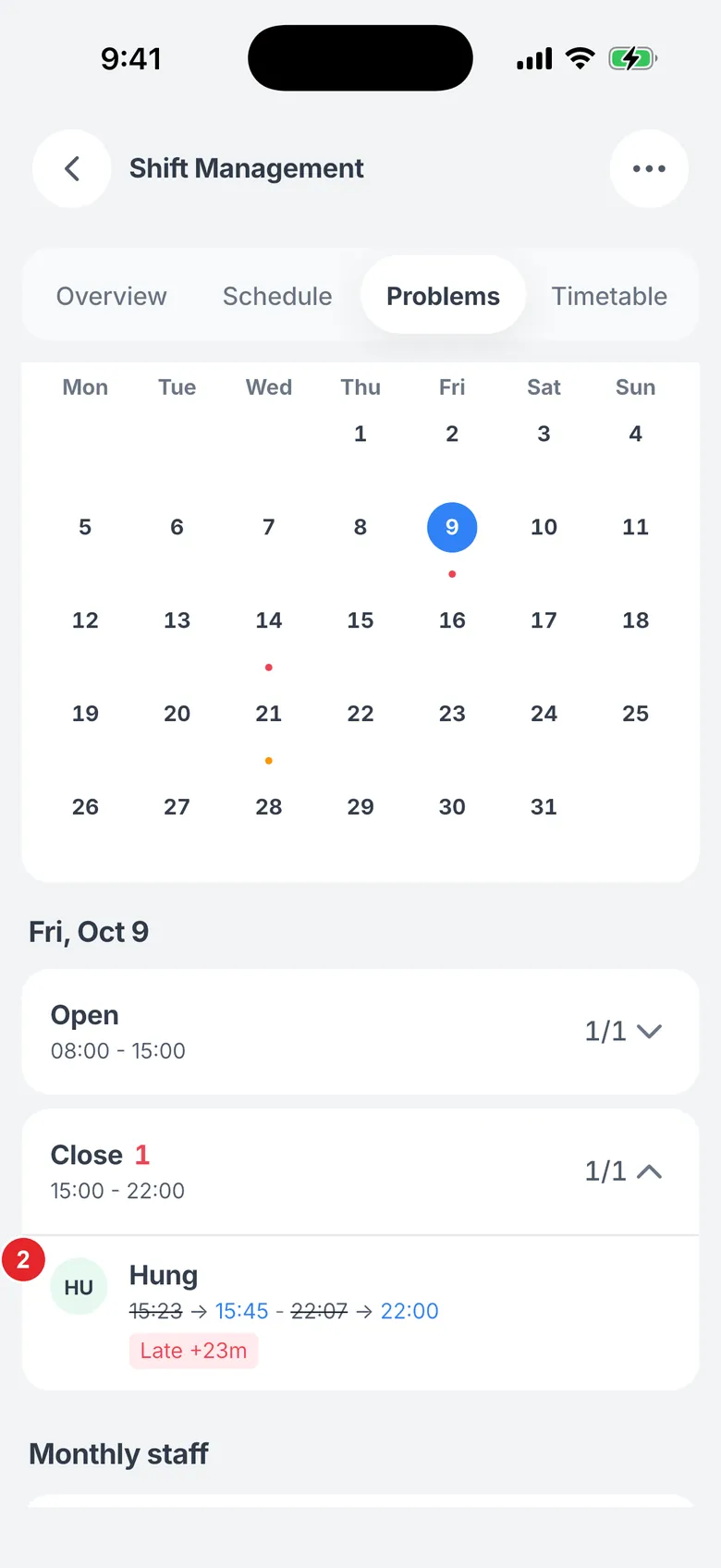
- In «Staff» → «Shift Management» → the «Problems» tab, tap the date, open the shift and tap the staff member marked like «Late +23m».
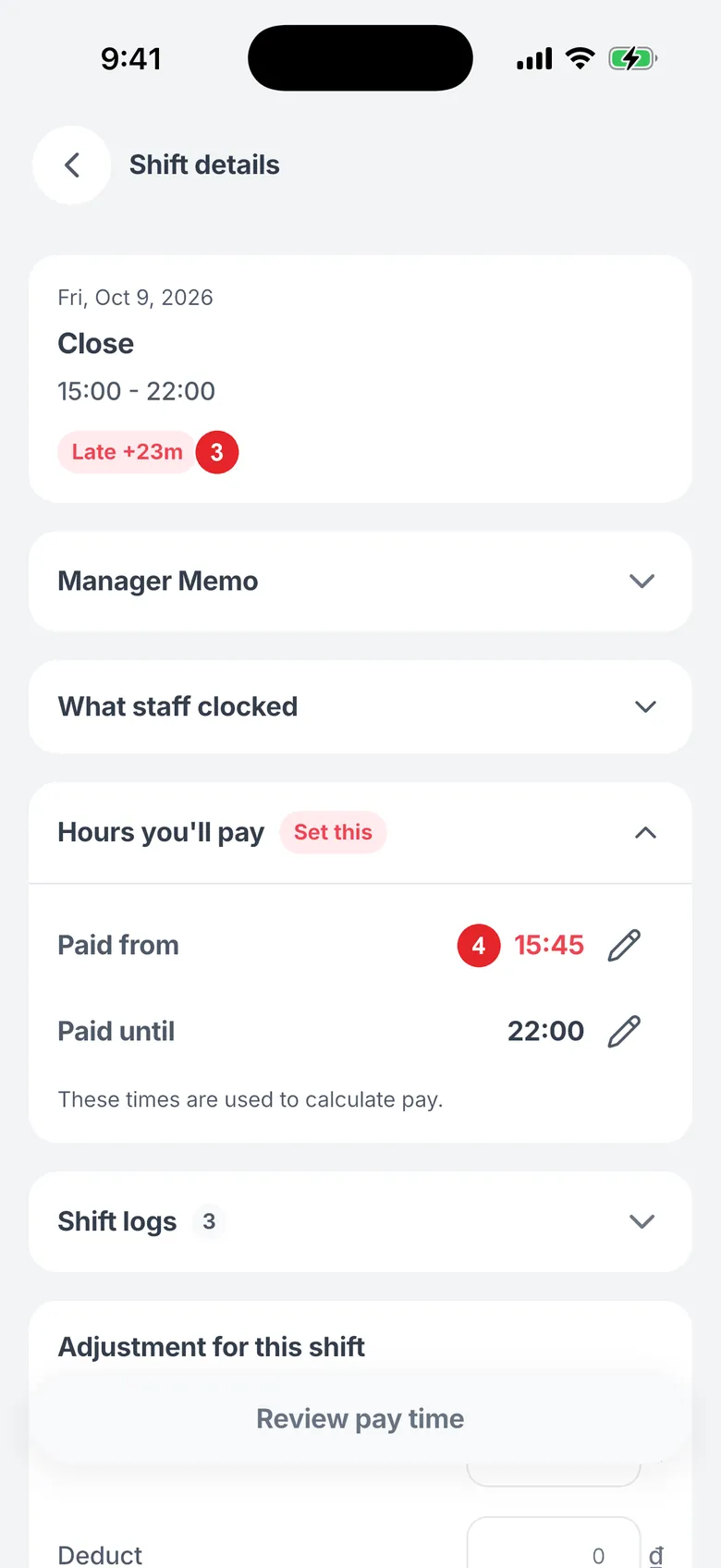
- How late they were shows at the very top.
- «Paid from» is the time cut by the rule. In this picture they clocked in at 15:23 and pay counts from 15:45. To change it, tap the pencil next to this time.
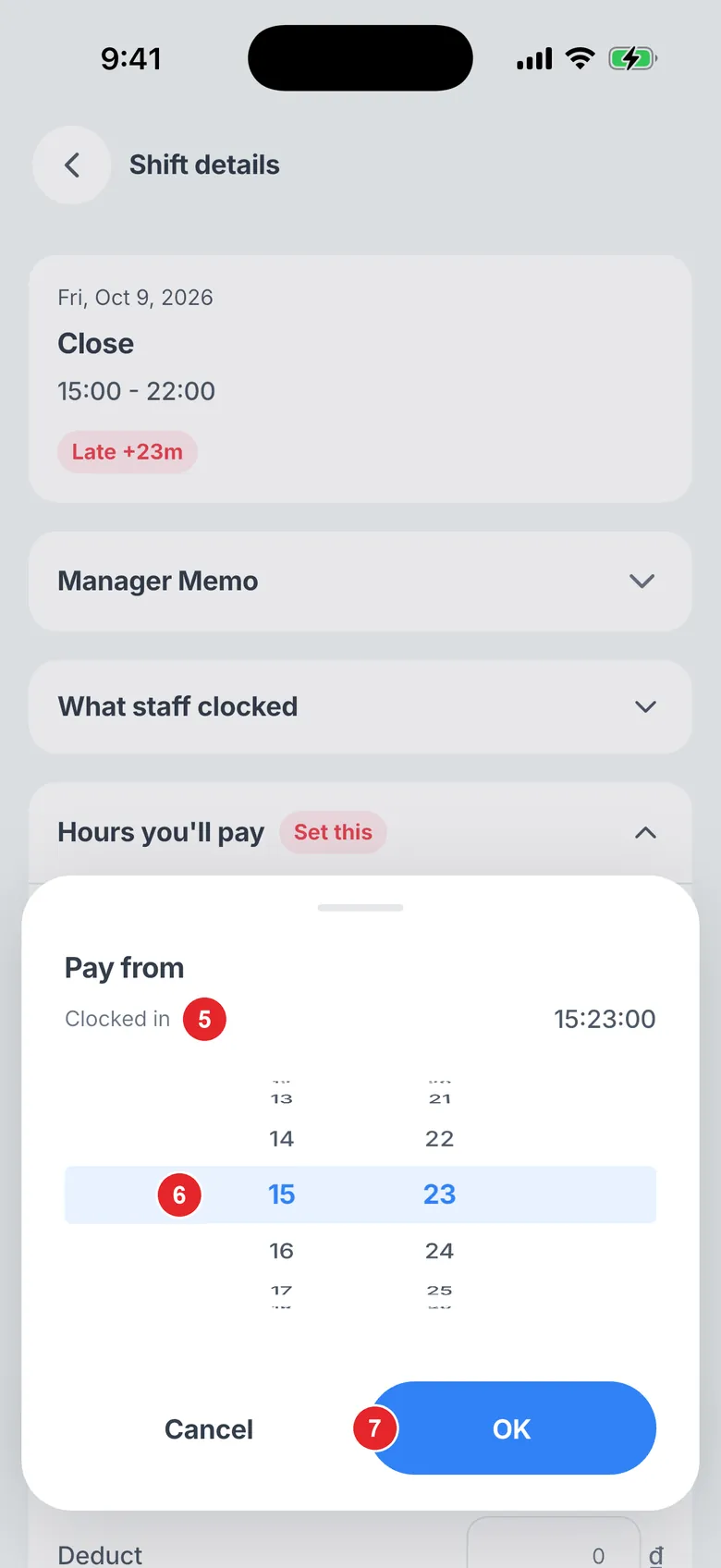
- In «Clocked in», see the time they really clocked.
- Choose the time pay starts. To not cut it, choose the set start time.
- Tap «OK», then tap the button at the very bottom of the screen to save. After you change the time it reads «Save pay time» (before that it is the faded «Review pay time»).
Why it works this way
A late shift has its paid time cut by the late rule in «Store Setting». For example, if «One block per this many minutes» is 10 minutes and «Deduction per block» is 15 minutes, a shift 23 minutes late is three blocks, so 45 minutes are cut.
Remember
- Inside the same block, the time cut is the same. 5 minutes late or 10 minutes late, 15 minutes are cut.
- Even before the manager decides, pay is counted with the cut from the rule. But it stays a «Problem», so that staff member can't be paid.
- To not cut it, open that shift, set the time pay starts to the scheduled start time, and save. On the website choose «Schedule»; in the app choose the time in «Paid from», then tap «Save pay time» at the bottom.